
|
|
|
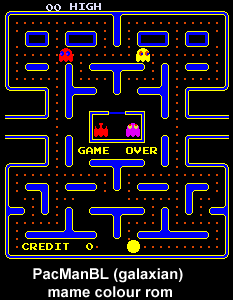
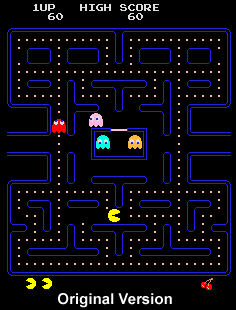
The following shows the layout of the pacman bootleg colour prom. To change the colour of any element in the game
simply put the rom image in a hex editor and change the values as denoted below. I've also created a diagram
of the colour pallet so you know what values will give what colours.
Example:
Yellow pacman? how conventional lets make him a different colour.
Pick a colour from the table below.
Add the top and the side numbers together to get the HEX value to put in. 30 down 8 along = HEX 38 =
GREEN
c0 down c along = HEX cc =
purely blue
.
Look at the list below. Pacman is colour No 7 so change that value to hex38 and you'll get a green pacman. Easy.

Pacman bootleg on Galaxian hardware colour prom.
Location: 6L
Type: 82123 prom 256-bit bipolar PROM (32x8) 16 pin DIL
Mame file name: pacmanbl/6331-1j.86
address : game element
0 : background
1 : returning eyes
2 : returning pupils
3 : returning body / score
4 :
5 : urchin eyes / dots / fruit
6 : urchin pupils / eddible ghost / map internal
7 : urchin body / map edge / pac-man
8 :
9 : flashing ghost face
a : flashing ghost body
b : flashing ghost face
c :
d : romp eyes
e : romp pupils
f : romp body
10:
11:
12:
13:
14:
15: stylist eyes
16: stylist pupils
17: stylist body
18:
19:
1a:
1b:
1c:
1d: crybaby eyes / points / BIG pacman
1e: crybaby pupils
1f: crybaby body
Errors? Please let me know.
Also send me any funky roms you make.
jim.